[HADA] Assign AI chatbots to facilities
Choose the facilities where each AI chatbot is available, so workers only see the chatbots for the facility they are at.
You can now assign AI chatbots to specific facilities.
Hello, this is the Hada team.
If each line, building, or site has different equipment and manuals, show workers only the chatbot that fits their facility. This helps prevent answers based on another facility’s manual.
✅ Choose the facilities for each chatbot
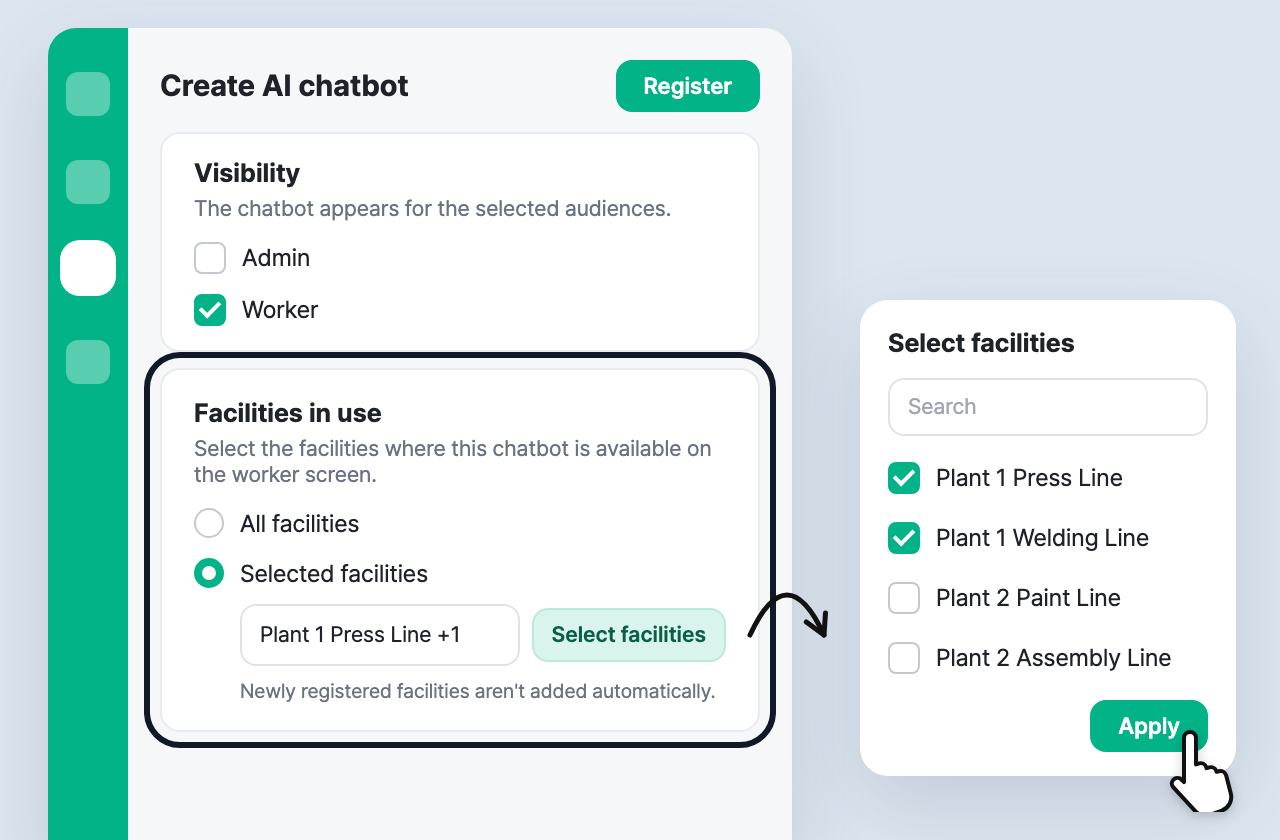
On the create/edit AI chatbot screen, select Worker under Visibility and Facilities in use appears.
- All facilities (default): available at every facility, including ones registered later.
- Selected facilities: available only at the facilities you pick with Select facilities.
- All existing chatbots stay on All facilities, so nothing changes unless you set it.
✅ Check each chatbot’s facilities in the list
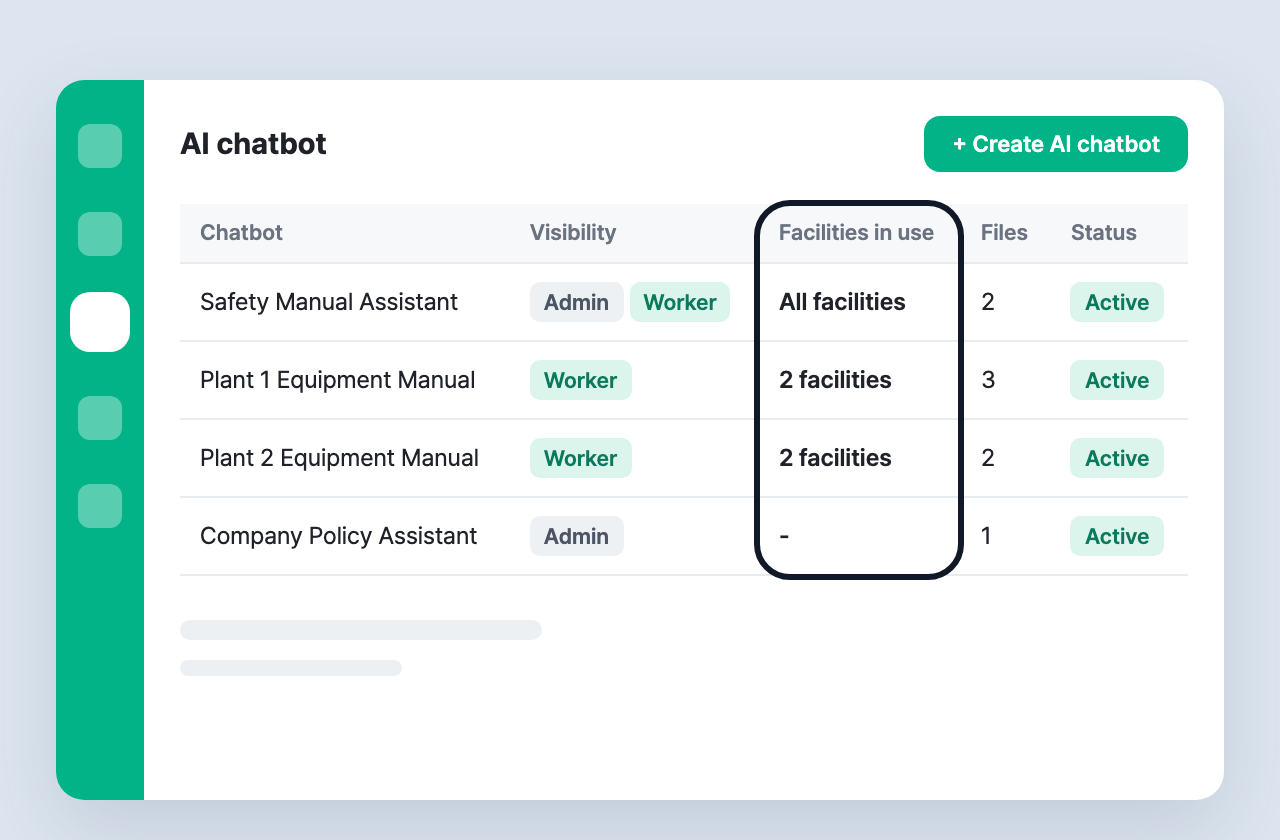
The AI chatbot list now has a Facilities in use column. Each chatbot shows All facilities or N facilities, so you can see at a glance which site it is for.
✅ Workers only see chatbots for their current facility
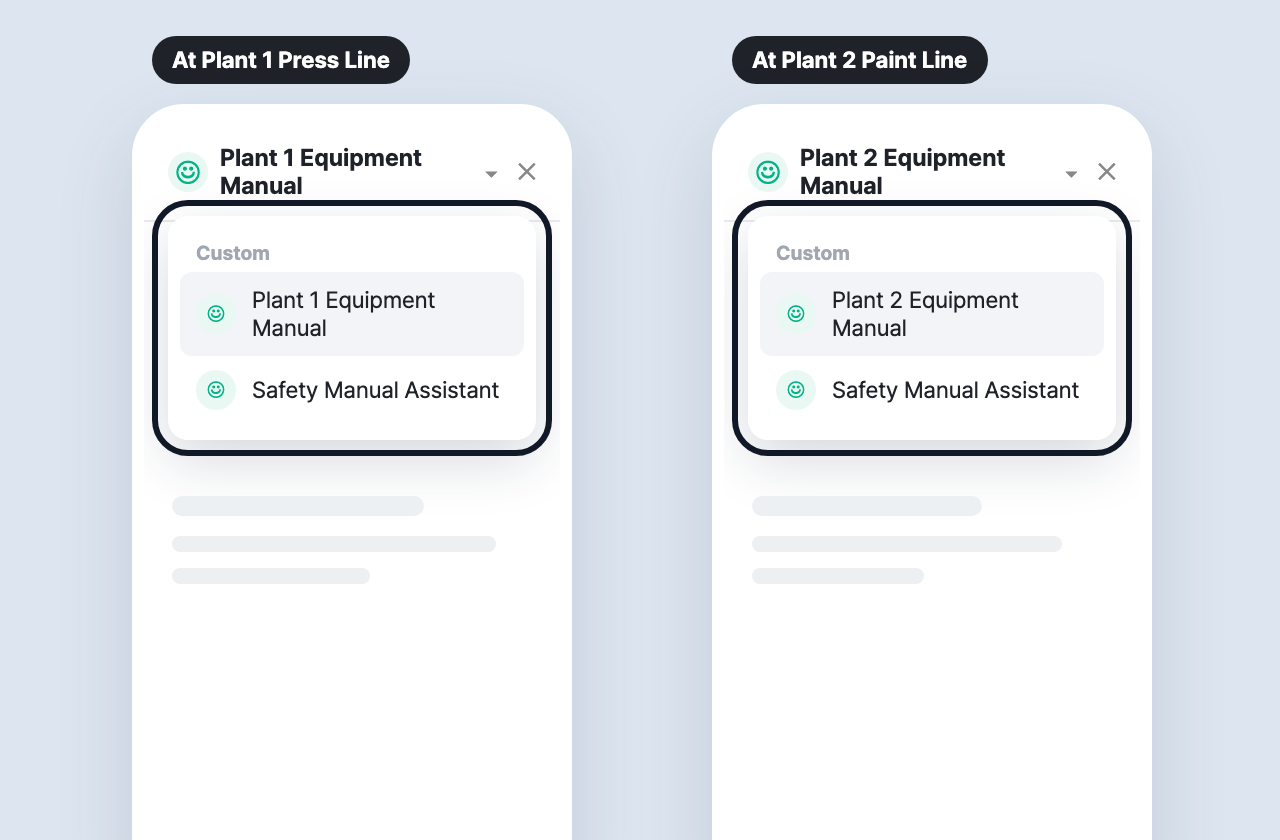
When a worker opens the chatbot from a facility screen, only the chatbots available at that facility appear in the picker.
- At facilities with no available chatbot, the chatbot button is hidden.
- The HADA AI panel on the dashboard (admins) works as before, regardless of facility.
If you have any questions, feel free to contact the Hada team.