[HADA] Approval feature now available
Admins can review submitted checks step by step and approve or reject them.
The check approval feature many of you asked for is now available.
Hello, this is the Hada operations team.
Admins can now review checks submitted by assignees in a set order and approve or reject them. Who reviewed each check, and when, is kept on record.
✅ Set an approval line for each checklist
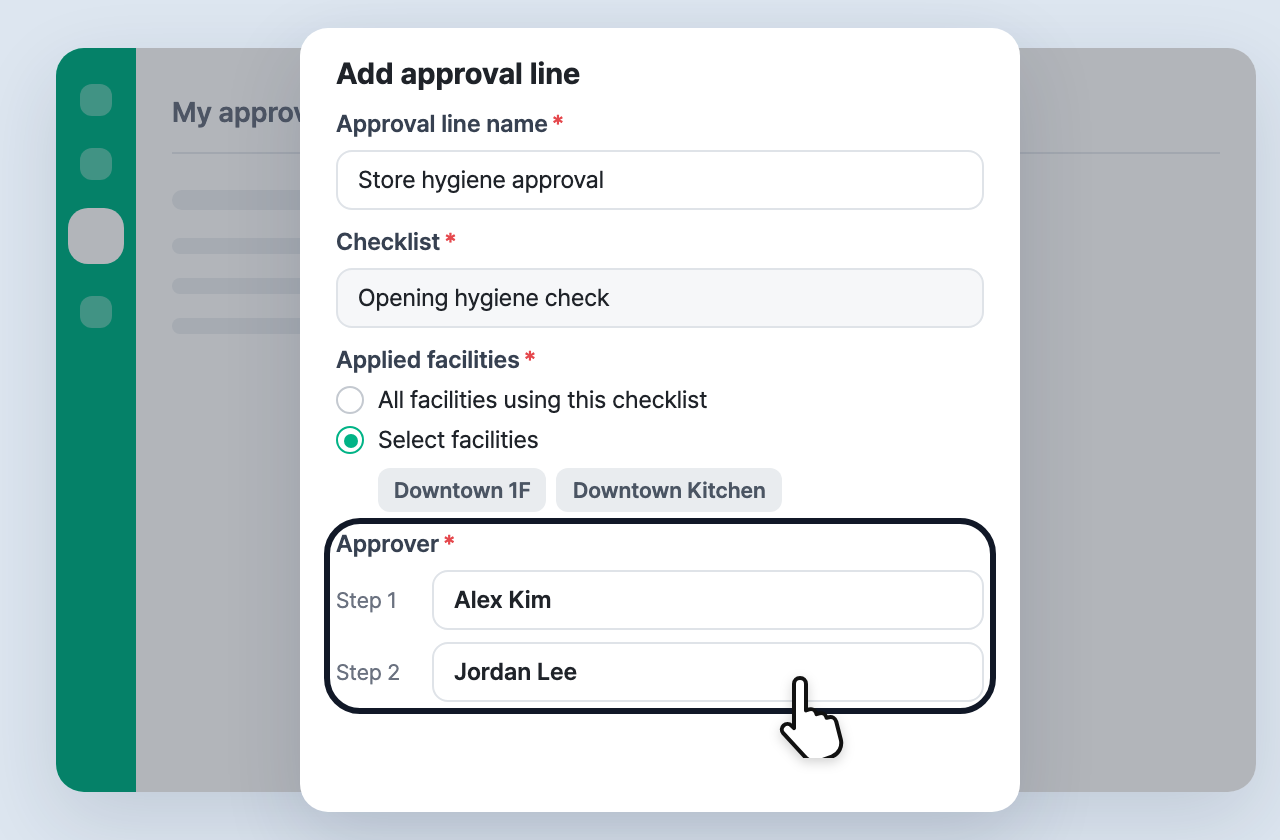
In the dashboard, go to Approval > Approval line settings and create an approval line for each checklist.
- Applied facilities can be all facilities using the checklist, or only the facilities you choose.
- Assign approvers in order, up to 3 steps.
- Approvals are created automatically for checks submitted after you save.
✅ See everything in My approvals
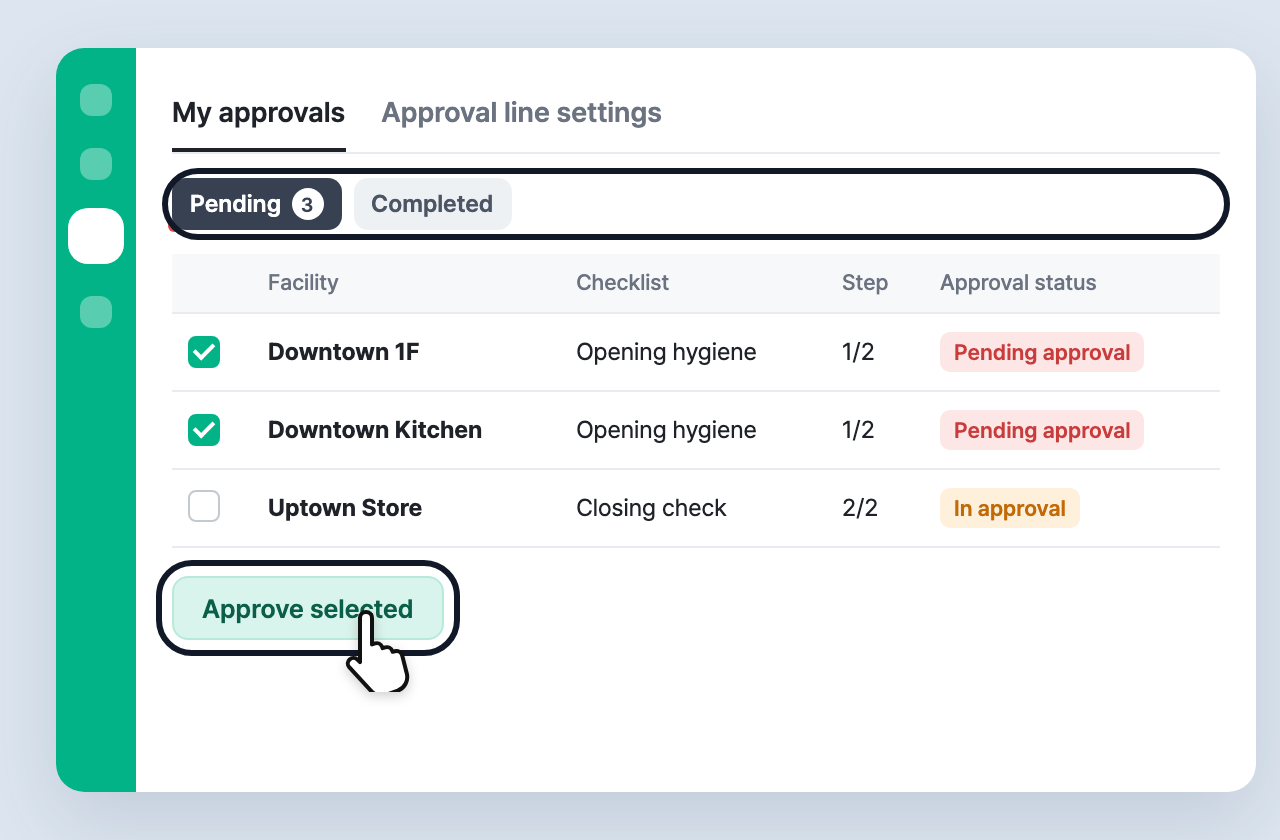
Approval > My approvals gathers the approvals that are waiting for you.
- A red dot appears on the left menu when an approval is waiting for you.
- Select several items and approve them at once with Approve selected.
- Under Completed, view the approvals you processed by period and export them to Excel.
✅ Review the details, then approve or reject
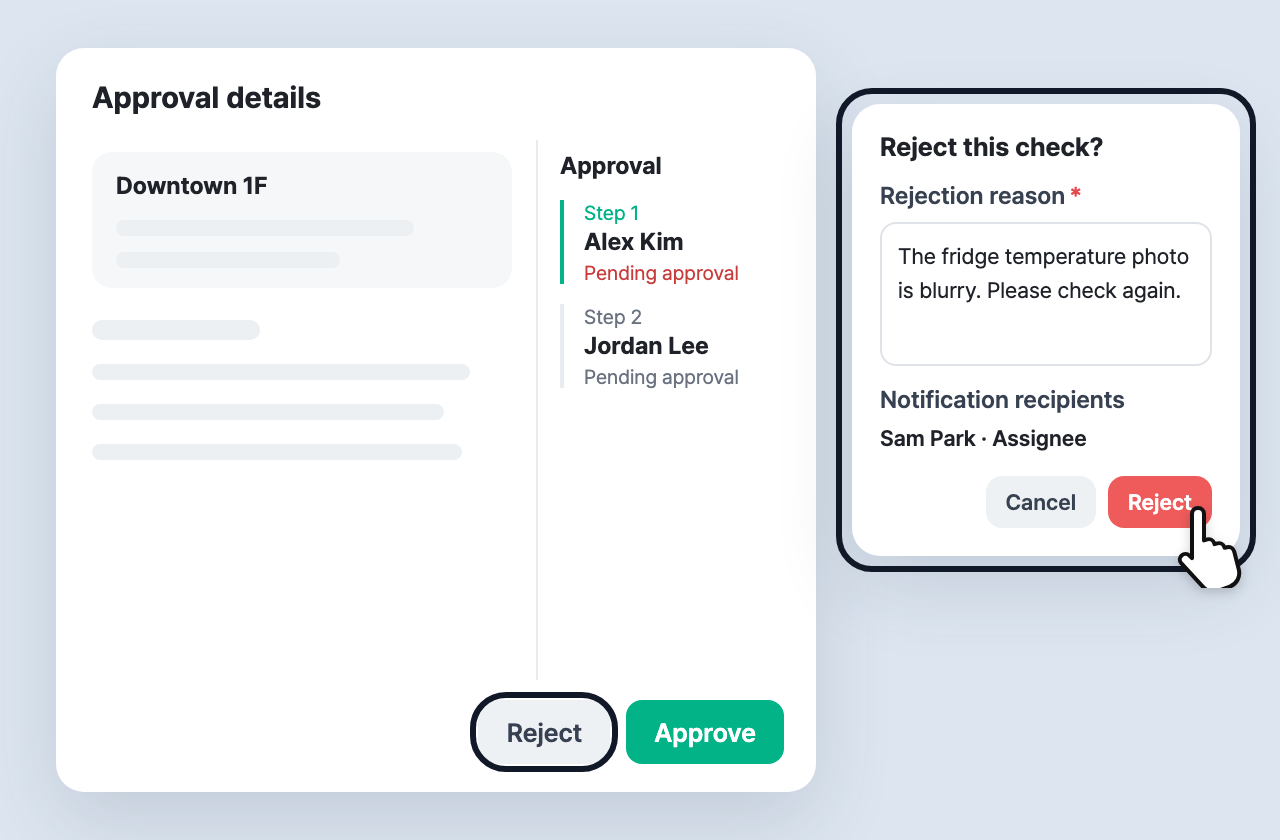
In the approval details, review the submitted check together with the status of each step.
- When you reject, enter a reason. A rejection email is sent to the assignee (or the facility manager).
- If you approved by mistake, you can Withdraw approval until the next approver acts.
- After an approval is completed, a senior admin can Cancel approval to restart it from step 1.
The Approval menu is shown to owners, senior admins, and junior admins who have been granted approval permissions. Junior admin permissions can be turned on in Settings > Admin authority.
For details, please see the User Guide.