[HADA] Create AI chatbots that answer from your own documents
Register your manuals and policies to build a company AI chatbot that answers based on those documents.
Your company’s own AI chatbot, one of our most requested features, is now available.
Hello, this is the Hada team.
Register documents your team often looks up, such as inspection manuals and safety rules, and admins and workers can ask about them in a conversation. Every answer also tells you which page of the document it came from.
✅ Create an AI chatbot by registering documents
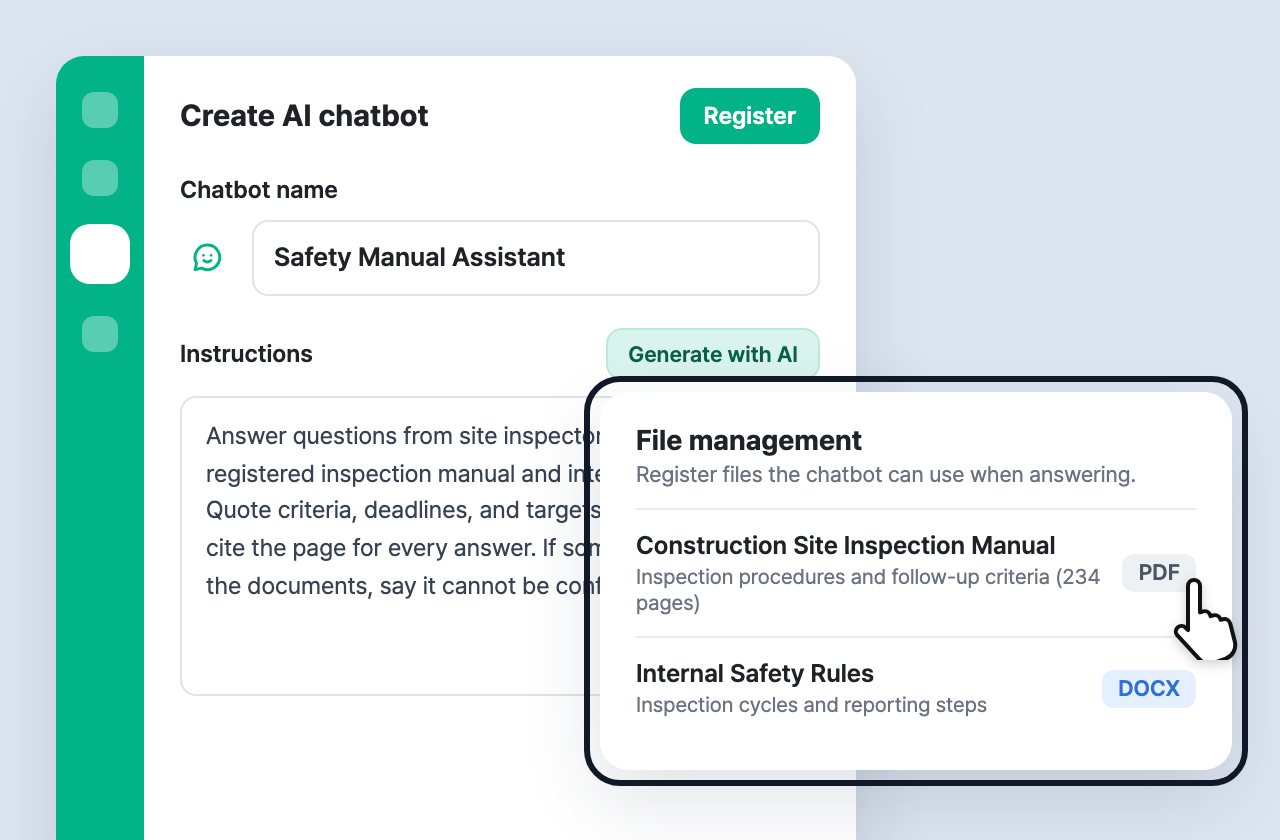
Go to AI chatbot in the left menu of the dashboard and click Create AI chatbot.
- Set the chatbot name and image, and describe its role and answering style in Instructions. Not sure what to write? Use Generate with AI to get a draft.
- Register the documents the chatbot should refer to in File management. You can upload PDF (text), DOCX, XLSX, CSV, TXT, PNG, and JPG files — up to 5 per chatbot, 10MB each.
- In Visibility, choose whether admins, workers, or both can use the chatbot.
✅ Pick a chatbot in the dashboard and ask right away
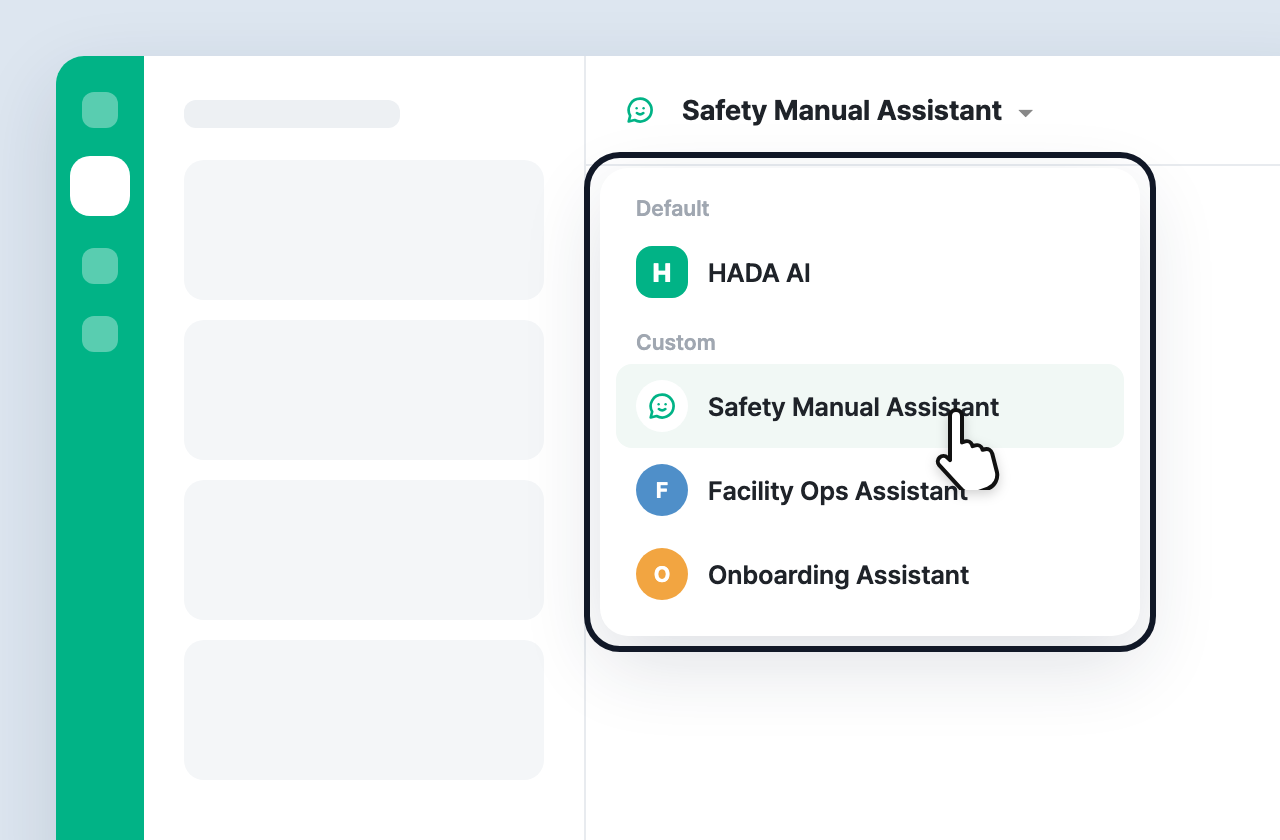
Open the panel with the HADA AI button at the bottom right, then click the name at the top to choose a chatbot.
- HADA AI under Default explains how to use Hada, and Custom chatbots answer from your registered documents.
- Conversation history is kept separately for each chatbot.
✅ Every answer shows the source page
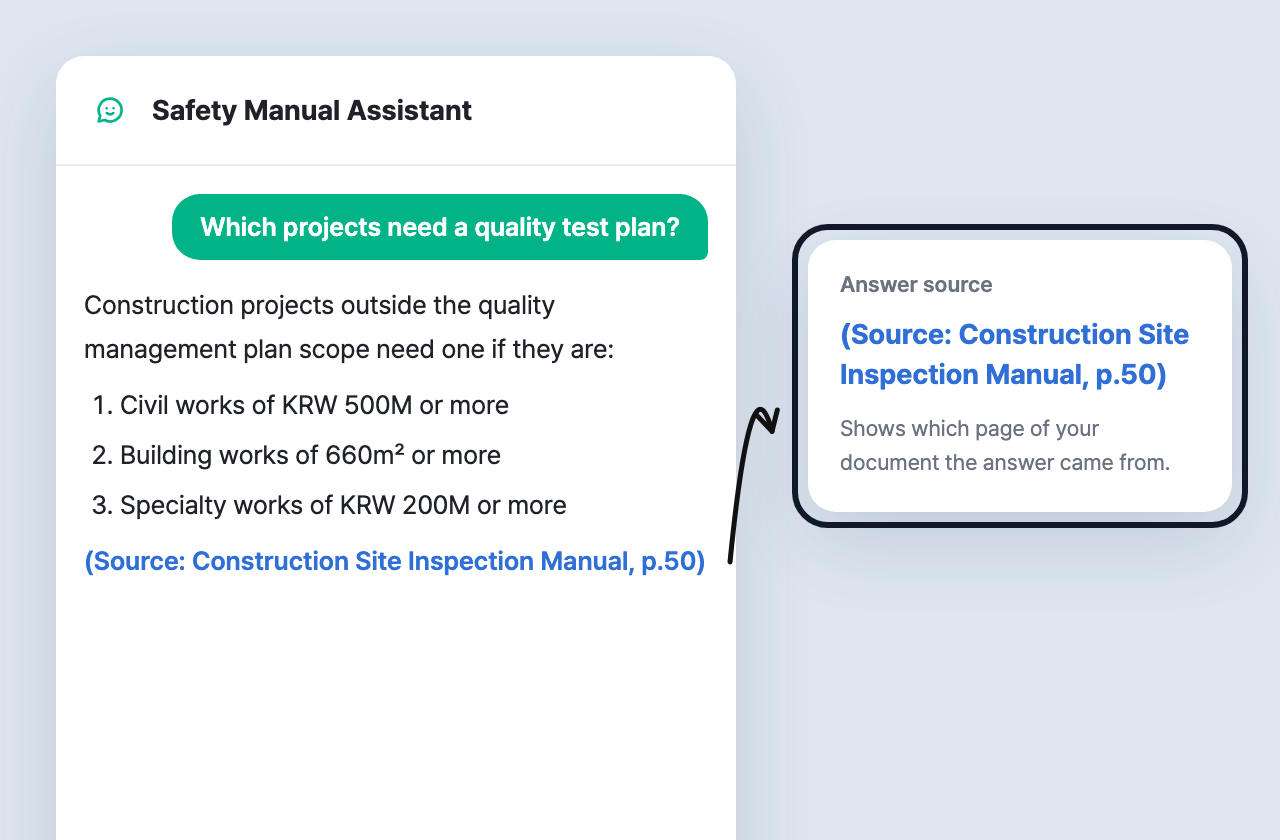
AI chatbots answer only from your registered documents and instructions.
- Each answer shows where it was found, like (Source: document name, p.50), so you can check the original right away.
- If the documents don’t cover a question, the chatbot says it couldn’t find it instead of guessing.
✅ Workers can ask from the mobile app too
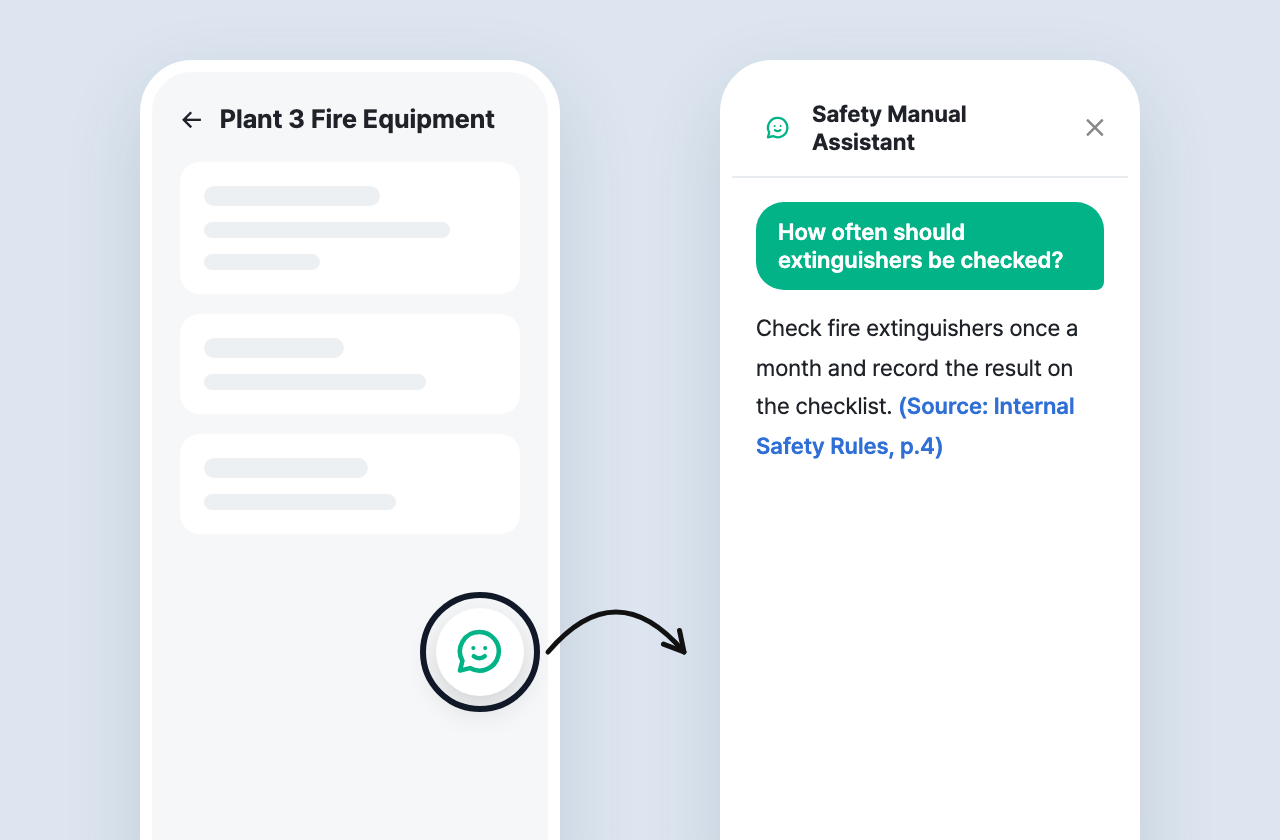
Chatbots visible to Worker can be opened from the chatbot button on the facility and inspection screens of the worker app. When an inspection criterion is unclear on site, just ask instead of searching the manual.
If you have any questions, feel free to contact the Hada team.