[HADA] Facility pause now available
Pause facilities you won't check for a while instead of deleting them, and resume them whenever you need.
Facility pause, requested by many of our customers, is now available.
Hello, this is the Hada operations team.
You no longer need to delete facilities that are temporarily out of service due to construction, closures, or seasonal operation. A paused facility keeps its registered info and check records, and once resumed, the same QR code works right away.
✅ Pause instead of delete
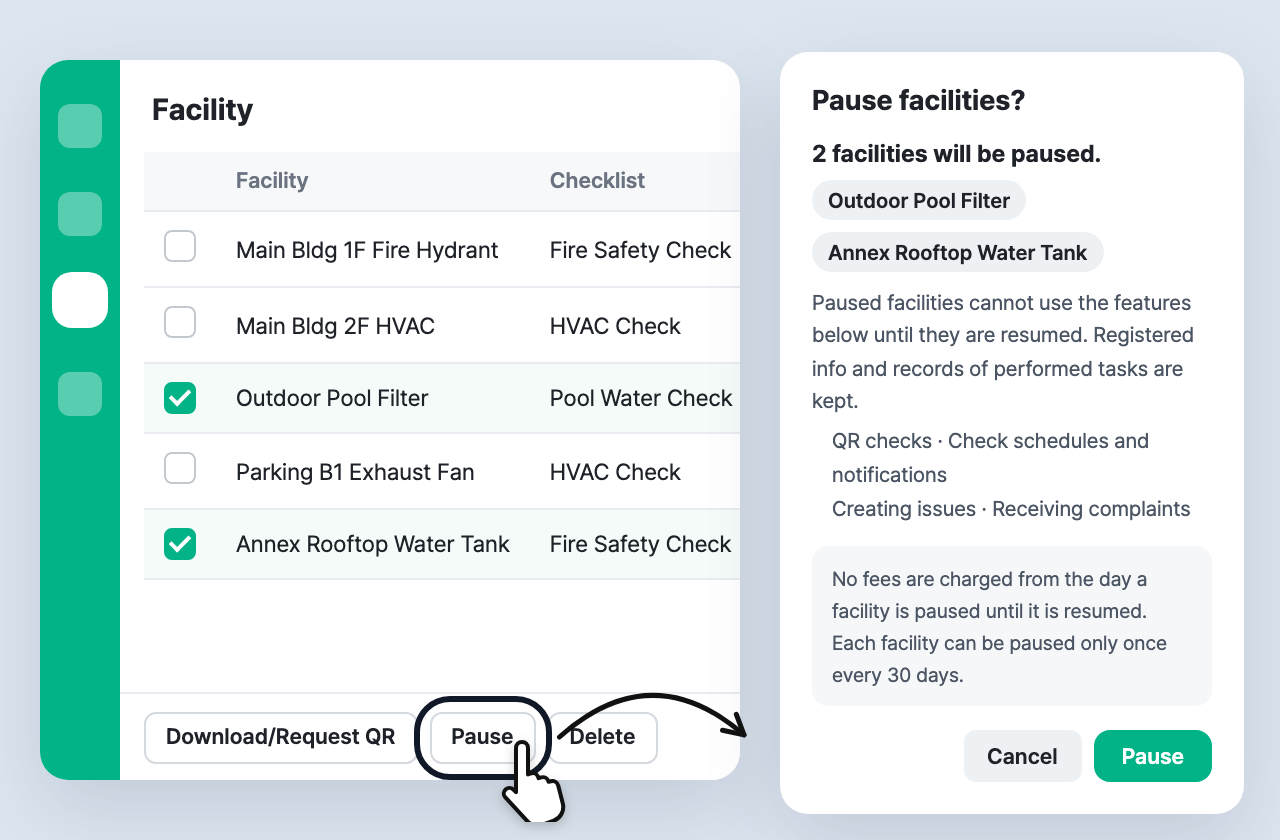
Select facilities in the Facility list and click Pause at the bottom. You can pause several facilities at once.
- Paused facilities stop QR checks · check schedules and notifications · creating issues · receiving complaints.
- Registered info and check records are kept as they are.
- Pausing cancels approvals in progress and removes scheduled ad-hoc check assignments. The confirmation shows how many beforehand.
✅ Resume whenever you need
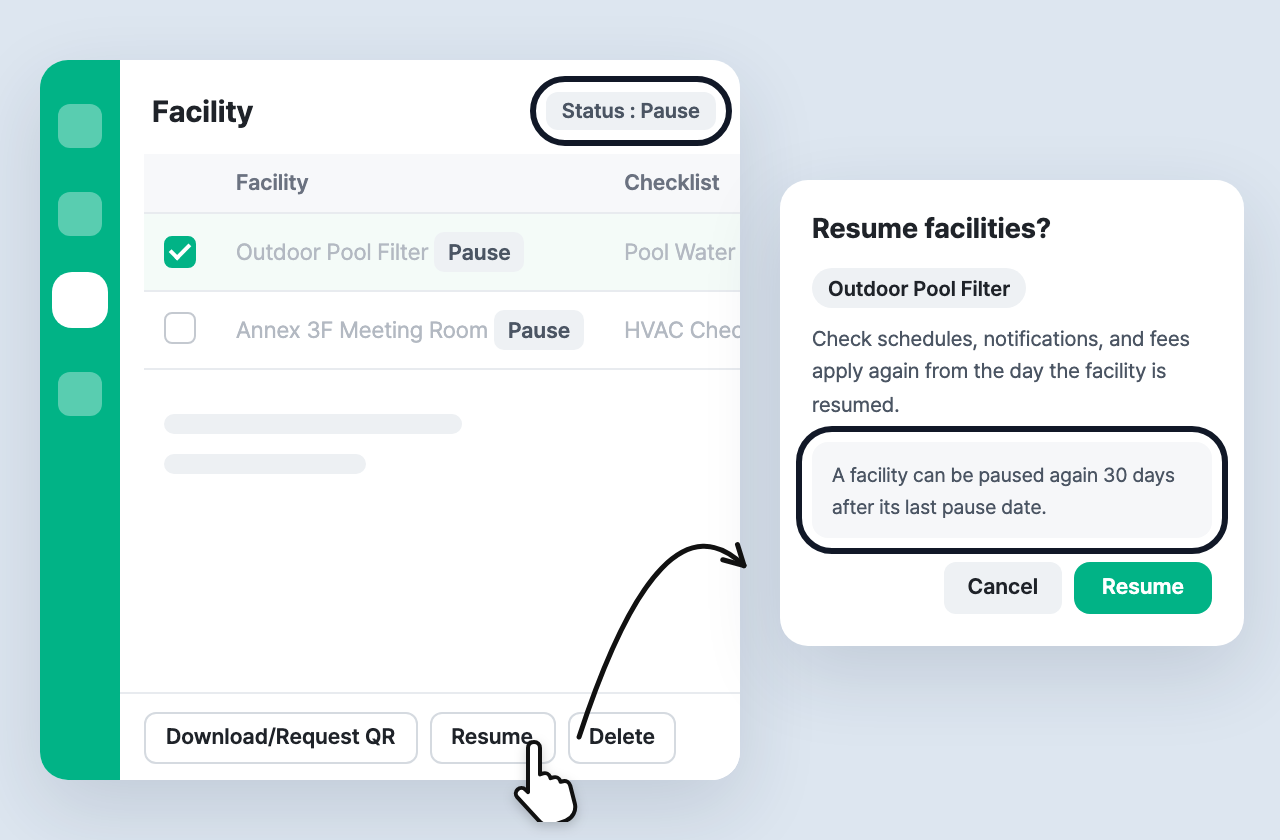
- Use the Status filter to view only facilities In use or Paused.
- When you select paused facilities, the bottom button changes to Resume. Check schedules and notifications apply again from the day you resume.
- The facility detail shows when the status was last changed and by which admin.
- Each facility can be paused once every 30 days. Resuming is always available.
✅ No fees while paused
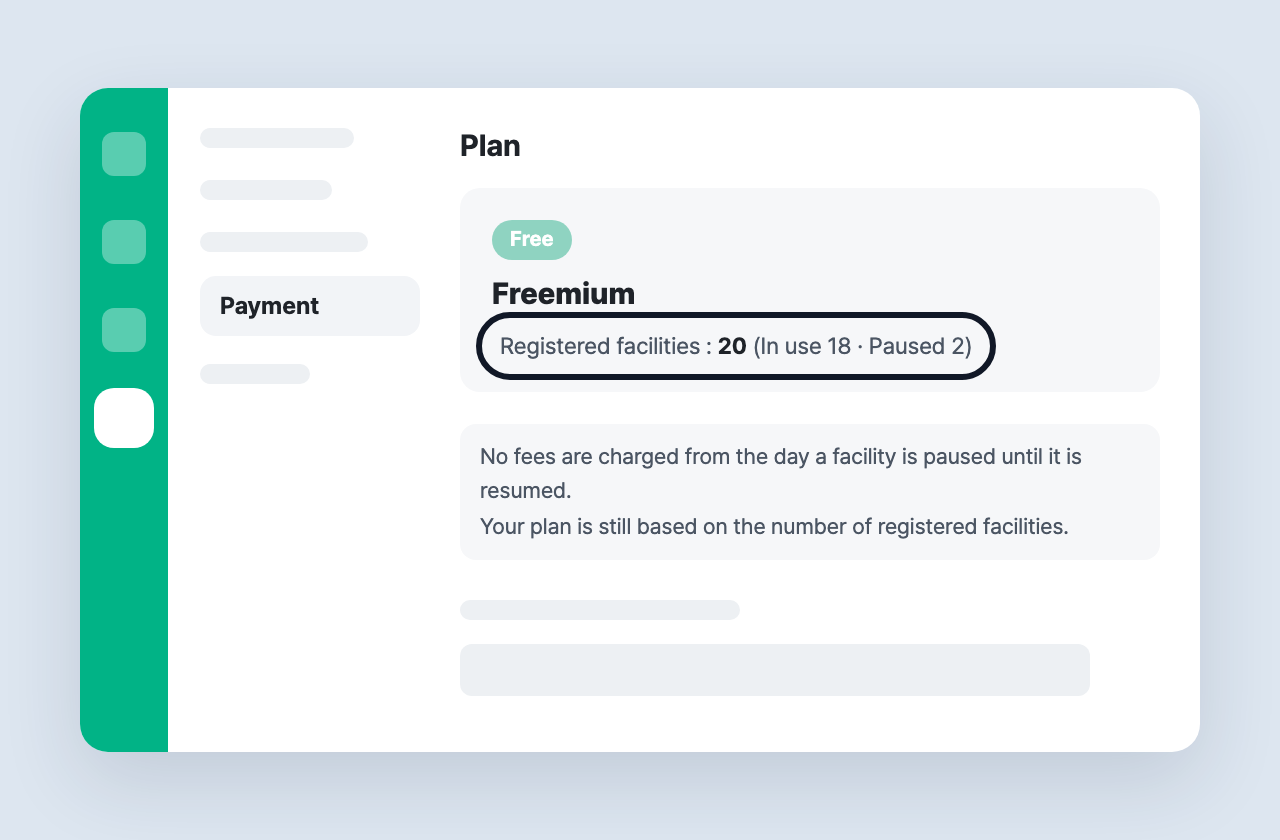
- No fees are charged for a facility from the day it is paused until it is resumed.
- Your plan is still based on the number of registered facilities.
- In Settings > Payment, you can see the registered facility count together with (In use · Paused) counts.
✅ Workers see a notice
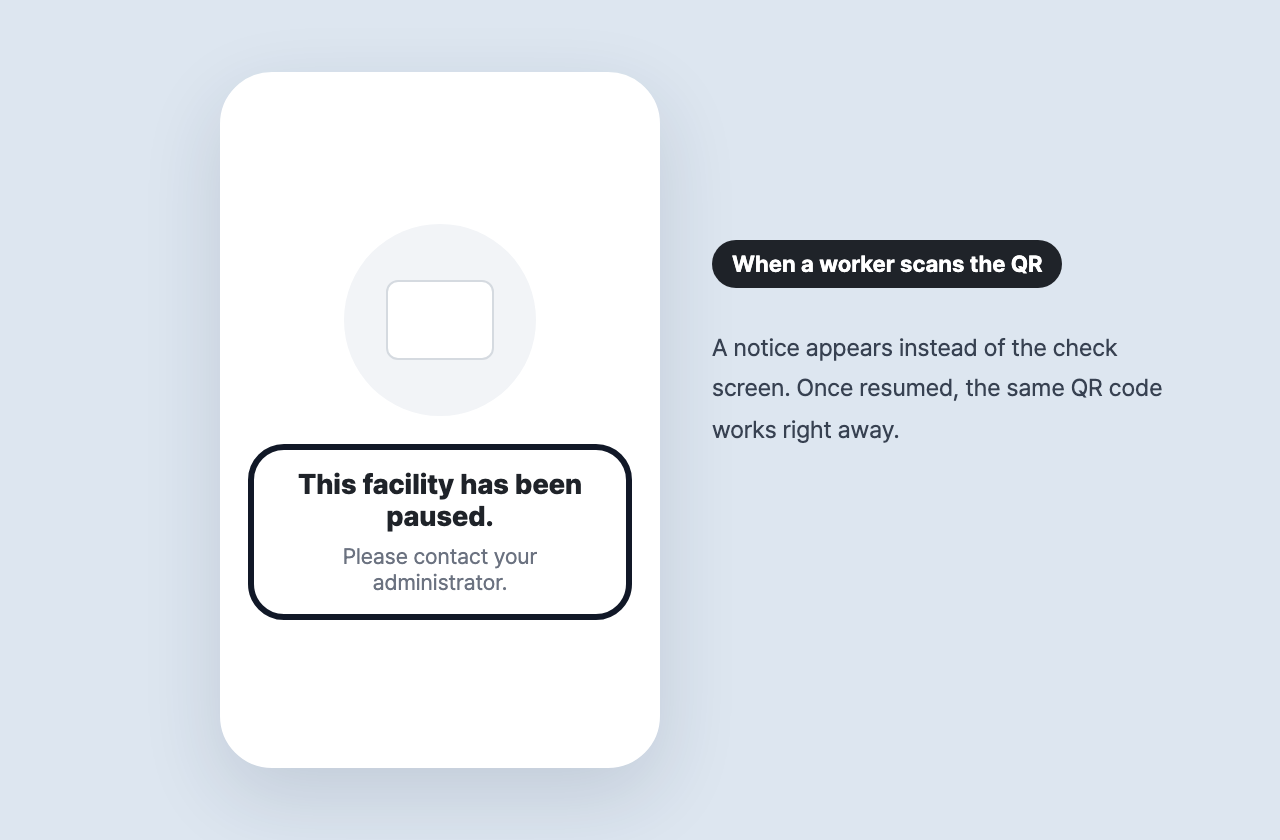
When a worker scans the QR code of a paused facility, they see “This facility has been paused. Please contact your administrator.” instead of the check screen. After you resume the facility, checks work right away without printing a new QR code.
See the User Guide — Facility for more help.