[HADA] Holiday management and checklist exclusion
Manage public and company holidays, and optionally skip checklist assignment on those days.
Skip checklist assignment on holidays — a long-requested option — is now available.
Hello from the Hada operations team.
Under Settings > Holiday management, keep national public holidays and company holidays in one place. On each checklist, choose Exclude on holidays for company holidays and/or public holidays so assignment, status, stats, and notifications follow the same rules.
✅ Manage holidays in Settings
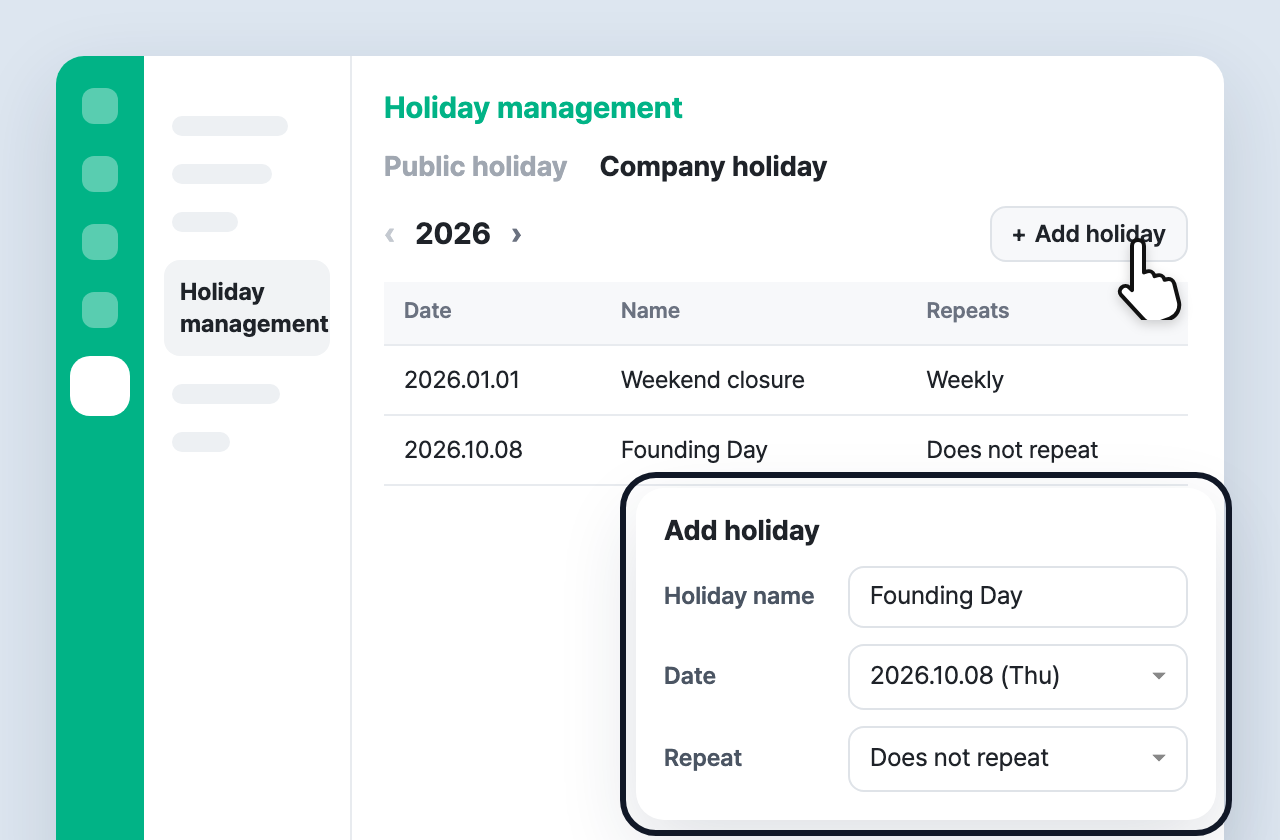
Open Settings > Holiday management to review public holidays and register company holidays.
- Public holidays: Korea and Japan national holidays sync monthly (browse by year)
- Company holidays: Add a fixed date or weekly / monthly / yearly recurrence
- When you edit or delete a company holiday, a confirmation explains how assignment and exclusion may change
Guide: Manage holidays
✅ Choose holiday exclusion per checklist
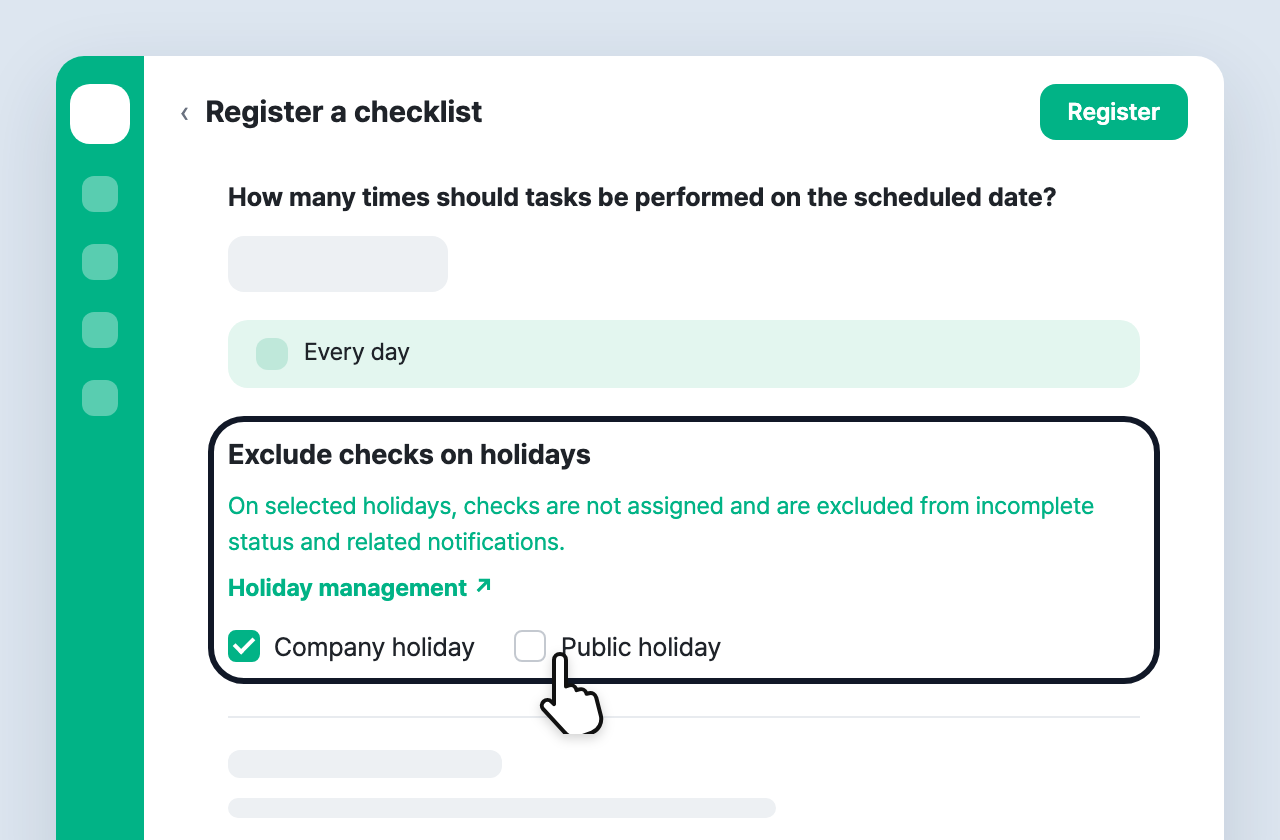
In checklist create/edit, under Exclude inspections on holidays, check only the types you need (both off by default).
- ☐ Company holidays — do not assign on company holiday dates
- ☐ Public holidays — do not assign on national public holidays
- Saving creates a new version; schedule, status, stats, and the worker app use the same rule
✅ See holidays in schedule, status, stats, and the app
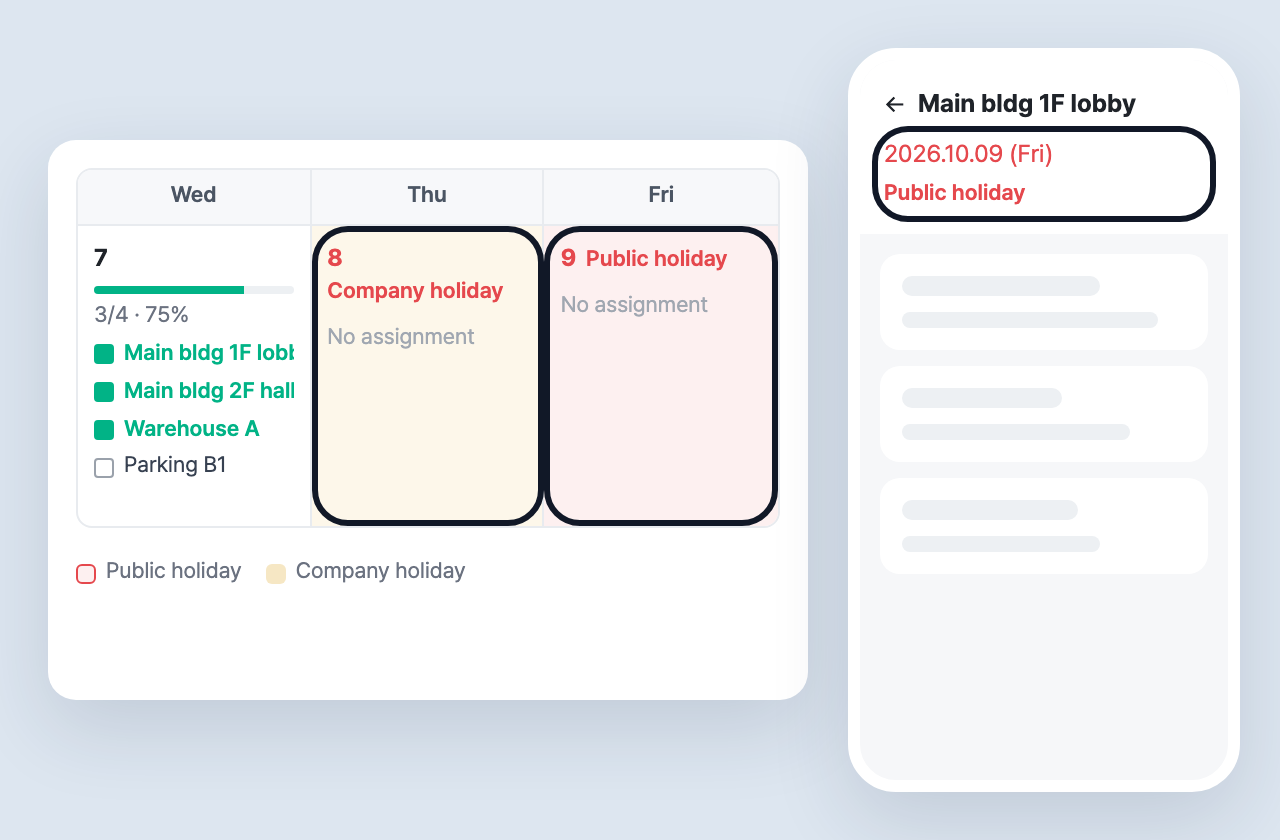
Holiday dates are highlighted on the schedule calendar and in status/stats views. Workers also see the date styling and short holiday tags in the app.