[HADA] Permission policies and accessible facilities for junior admins
Bundle the features a junior admin can use and the facilities they can see into a permission policy, and apply it to several admins at once.
You can now choose which facilities a junior admin can see.
Hello, this is the Hada operations team.
If one company manages facilities for several buildings or partners, show each person only the facilities they are responsible for. Feature permissions and accessible facilities are bundled into a single permission policy that you can apply to several admins together.
✅ Manage feature permissions and accessible facilities in one policy
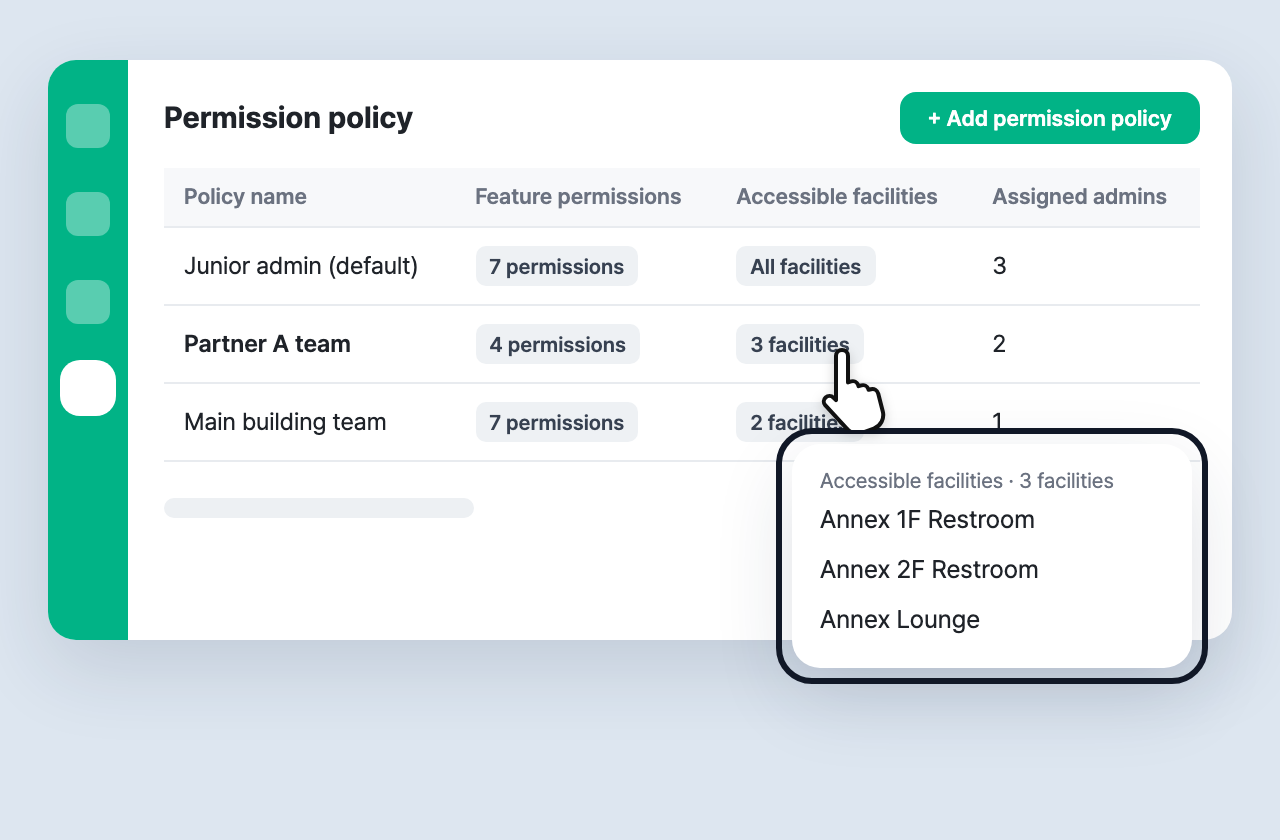
Create policies in Settings > Admin authority > ⚙ Permission policy.
- Feature permissions: turn on the features to allow, such as facilities, checklists, workers, approvals, issues and complaints.
- Accessible facilities: choose All facilities or Selected facilities.
- When you edit a policy, the change applies to every admin using it within a minute. You confirm how many admins are affected before saving.
- Click
N permissionsorN facilitiesin the list to see the enabled features and facility names.
✅ Assign a permission policy when you invite
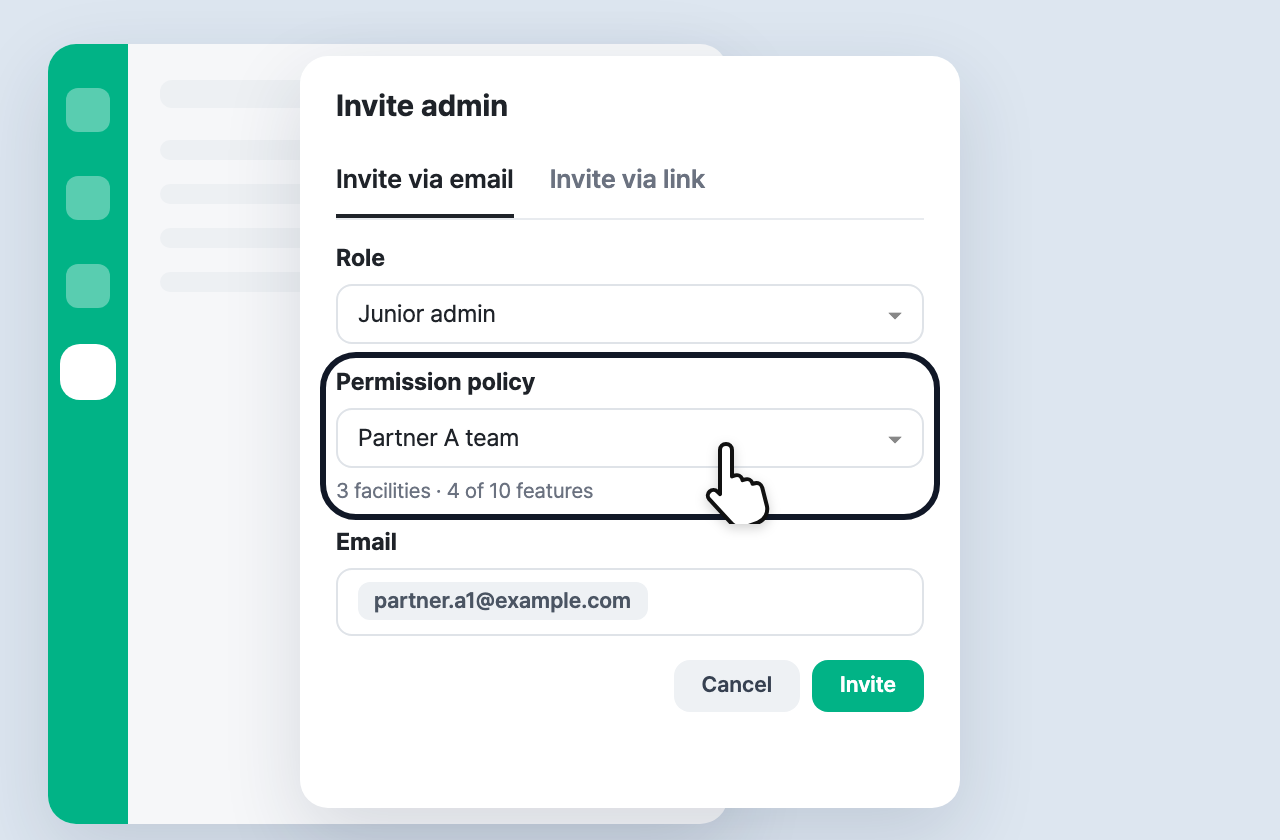
In Invite admin > Invite via email, choose Junior admin as the role and you can select a Permission policy. The invited admin uses the dashboard with those features and facilities as soon as they sign up.
- For junior admins who are already registered, change the policy from ⚙ (edit permissions) in Admin authority.
- To give one person different permissions, choose Individual settings.
✅ Junior admins see only their accessible facilities
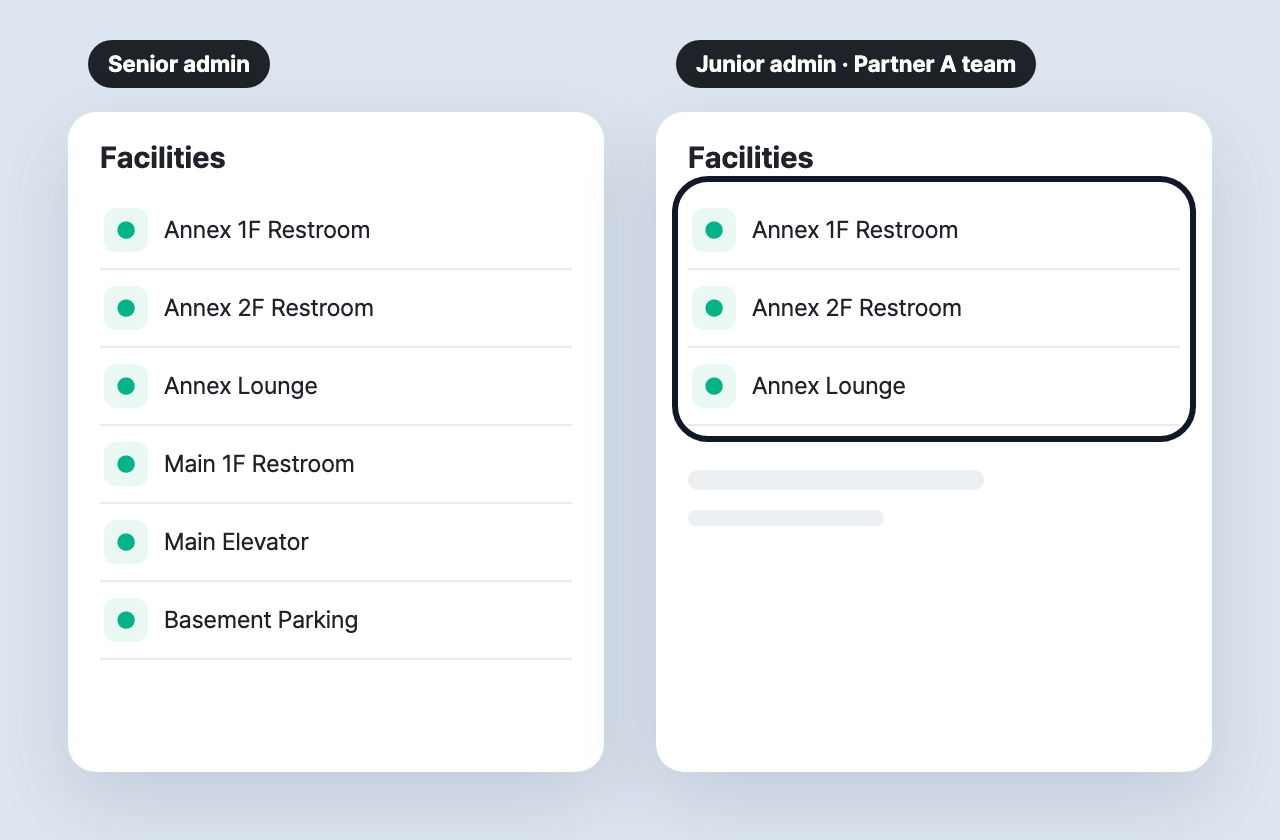
A junior admin with accessible facilities set sees only the facility, inspection, issue, complaint and search data for those facilities. Excel downloads and notifications follow the same scope.
- Owners and senior admins still see every facility.
- Existing junior admins keep All facilities, so nothing changes unless you set it.
If you have any questions, please contact the Hada operations team at any time.